Alpha Route VPN: Simple Android VPN with live traffic visibility
Alpha Route VPN by WOM Core is an Android utility that encrypts device traffic and masks IP addresses for everyday privacy. The app establishes an encrypted tunnel for all device connections, enabling instant protection with minimal setup and selectable server endpoints. Key capabilities include quick connect, searchable node selection, automated routing decisions, live upload/download meters, and session logs. It targets Android users who want straightforward privacy on public Wi-Fi and while accessing region‑restricted content.
How the app creates a protected tunnel
The app uses Android's VpnService API to manage network traffic at the operating‑system level, a mechanism that lets it route device packets through a system-managed tunnel. It requests standard VPN permissions to operate, and the connection dashboard records session metadata such as connection duration and traffic counters. This architecture means the tool integrates with the device networking stack rather than altering low-level system files.
How it handles routing and connection selection
Routing is handled by the tool's automated selection logic that prefers efficient paths for active sessions, and the server list is searchable by country and city for manual choice. The app exposes live metrics for upload and download throughput while a session runs, enabling users to observe immediate network behaviour. These features aim to reduce the manual work of selecting endpoints for common browsing and streaming needs.
What the app's privacy and safety posture is
The developer declares a privacy-first approach and states the app does not collect browsing activity; additionally, the tool does not require registration before use. Operating through the system VPN API keeps tunneling within the OS networking layer, and the app's permissions model is limited to what standard VPN operation requires. These facts point to a design that emphasises basic privacy guarantees without account-based telemetry.
Who can operate the app and what expertise it requires
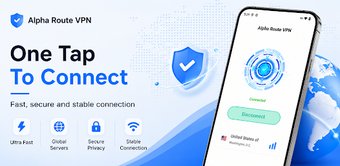
The interface follows a clean, minimalist layout intended for everyday Android users, so most people can start a session with a single tap and use the search field to pick a node. The focus on simplicity reduces setup steps and keeps the learning curve low. Users who expect granular tunneling rules or advanced manual configuration should evaluate whether the minimal controls meet their needs before adopting the tool for complex workflows.
The app is a practical choice for users needing simple Android privacy
The app is a practical option for Android users who need steady, easy-to-start protection while on public or untrusted networks. One trade-off is the minimalist design, which prioritises immediate use over deep manual configuration options. Recommended.